For players
You know your score. This tells you why.
Log a round in about five minutes and watch the picture build — where you're gaining shots, where you're leaking them, and whether the work you're putting in is actually paying off.
Logging a round
Three ways in. All five minutes or less.
Pick whichever suits the moment — they all produce the same stats.
- Snap your card Mark your scorecard however you already do, photograph it after the round, and StatCaddy reads it — in your own shorthand, which you set up once.
- Hole by hole Big, thumb-friendly controls, one hole per screen. Par 3s skip the fairway question automatically. Do it as you play or afterwards.
- Quick totals Score, putts, fairways, greens, up-and-downs, penalties. The whole round in well under a minute.
| Hole | Par | Score | Marks |
|---|---|---|---|
| 1 | 4 | 5 | F |
| 2 | 3 | 3 | |
| 3 | 5 | 6 | T |
| 4 | 4 | 4 | F UD |
| 5 | 4 | 6 | P |
| 6 | 3 | 3 | UD |
What you get back
A game you can finally see.
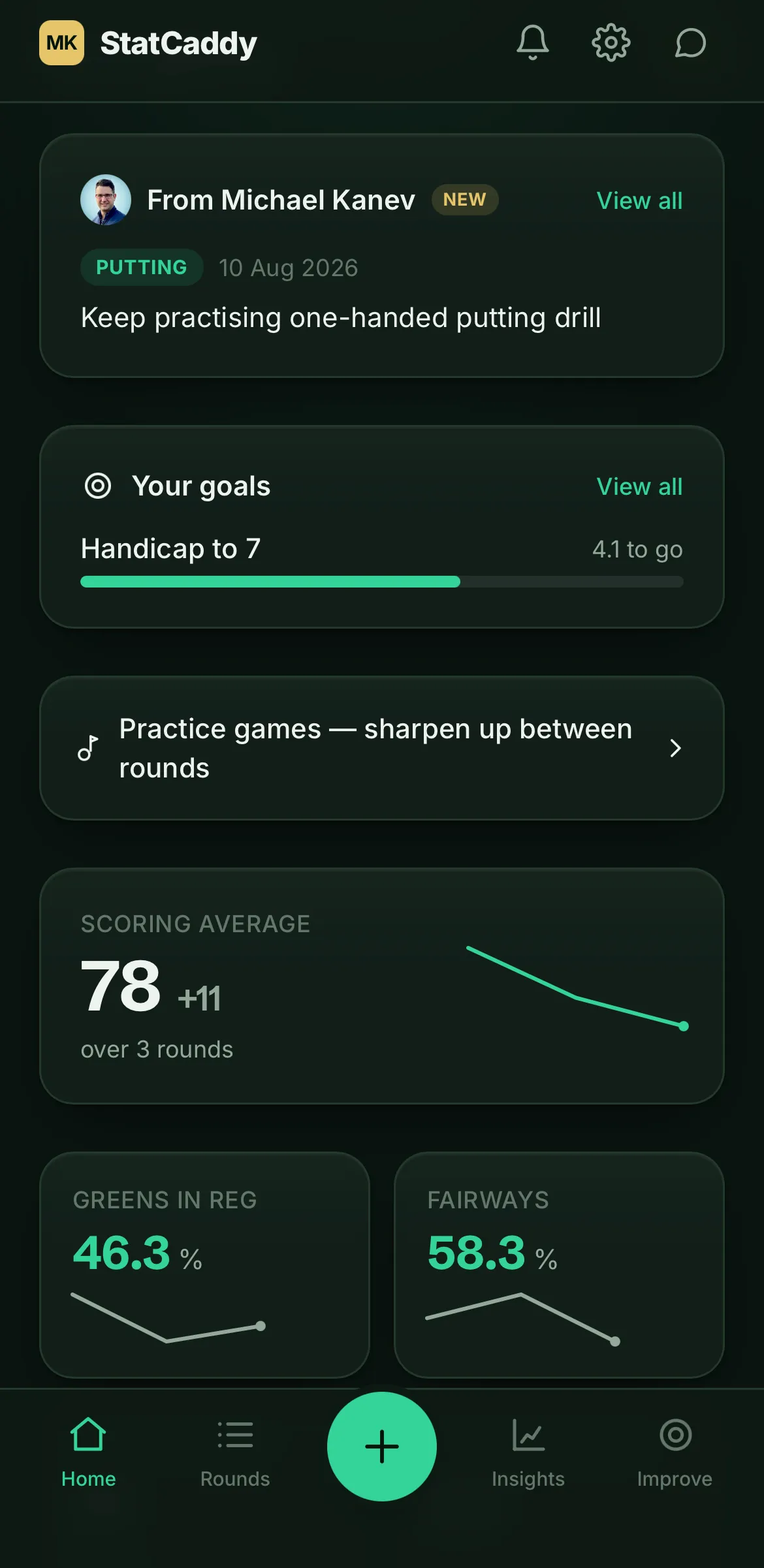
Open the app and you know where you stand: your scoring average against par, your headline stats each with a trend, and your latest rounds. Tap once and you get a short, specific read on your recent form — grounded in your own numbers, never generic filler.
- Trends that make improvement, or drift, obvious.
- Benchmarked against your handicap — not against tour pros.
- Goals with sub-goals and real progress.
- Practice games for what you do between rounds.
- Competition rounds tagged separately, so your serious golf isn't averaged in with range days.
What it tracks
The handful of numbers that explain a round.
Several are worked out for you — a 3-putt from your putt count, a birdie from your score against par — so you're not marking everything by hand.
- Off the tee
- Fairways hit
- Approach
- Greens in regulation
- Putting
- Putts, and 3-putts per round
- Short game
- Up-and-down success
- Mistakes
- Penalties, off the tee vs in play
- Scoring
- Gross, net, and average against par
Your data
Your coach sees your golf. That's all.
When you accept a coach's invite, they can see your rounds and the stats that come from them — which is exactly what lets them help you between lessons. They see nothing before you accept, and you can disconnect at any time. Without a coach connected, StatCaddy shows no coach features at all; it's simply your own app.
Questions
The things players ask first.
My coach invited me — do I pay anything?
No. Your coach's plan covers your seat. Use the link or code they sent you and you're in; there's no card and nothing to subscribe to.
What can my coach actually see?
Your rounds and the stats that come from them, once you've accepted their invite. That's the point — it's what lets them coach you between lessons. They can't see anything until you accept, and you can disconnect whenever you like.
Do I need to mark my card in a special way?
Only if you want the photo feature to read your stats. You tell StatCaddy which symbols you use — F for a fairway, UD for an up-and-down, whatever you already scribble — and it reads your card your way. Or skip it entirely and tap the round in.
Is there an app to download?
No app store needed. Open it in your phone's browser and add it to your home screen — it then opens full-screen with its own icon, like any other app.
What if I only remember my score?
Then log your score. A round with nothing but a score is a perfectly valid round. More detail gives you more back, but it's never demanded.
No coach on StatCaddy?
Play it solo for £8 a month.
The whole player app, on your own — logging, stats, trends, goals, practice and your own AI read. £69 if you pay yearly. And if your coach joins later, you can connect to them.